 Pastely
 Archly
01
Both private
Neither app sends your activity anywhere. ActivityWatch stores it on your device; Timecard stores it in one file on your Mac.
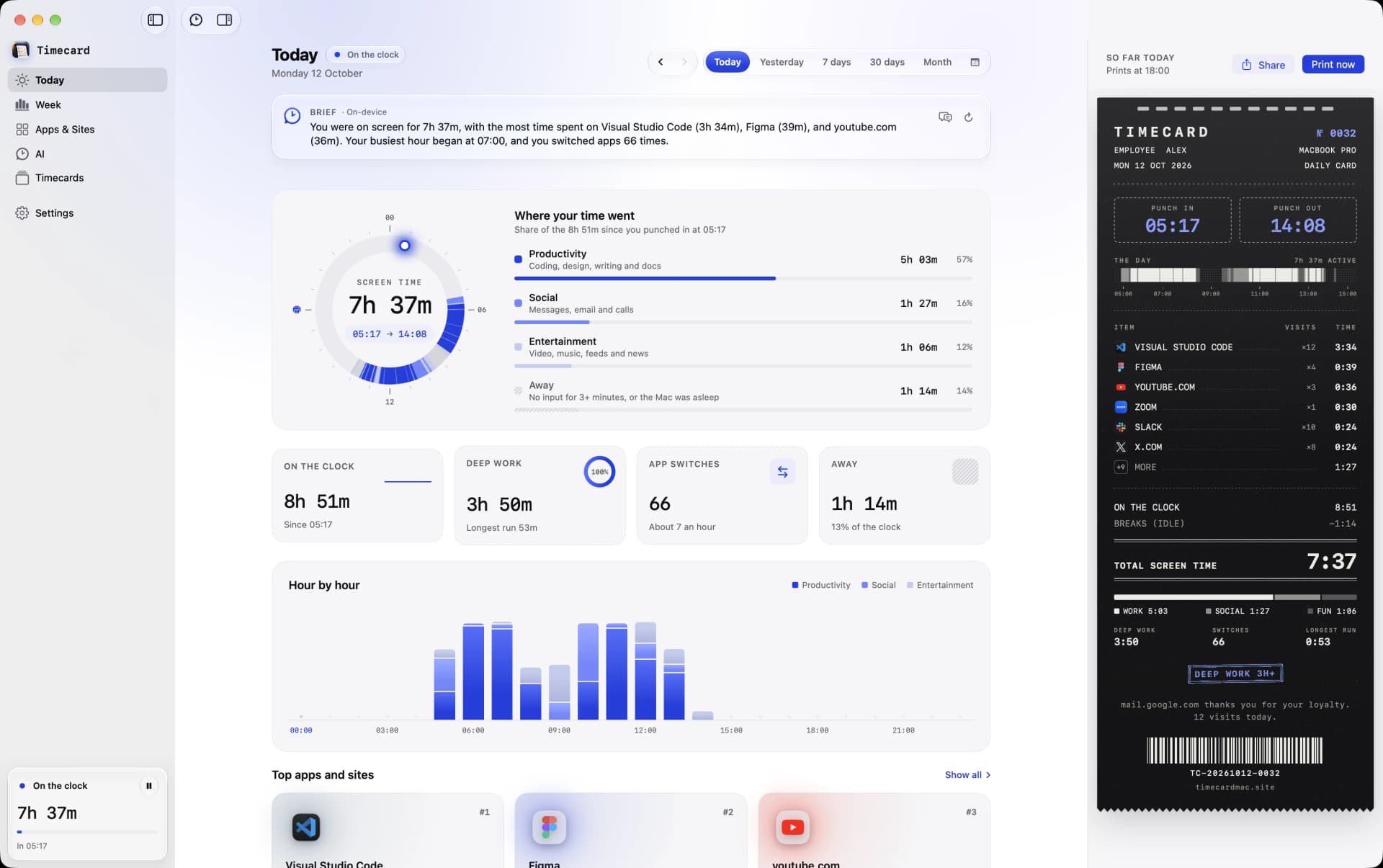
ActivityWatch is a free, open-source tracker for Mac, Windows, Linux and Android that keeps your data on your device. Timecard shares that privacy stance but is a native Mac app: websites in every browser without extensions, limits that block, AI coding usage, and your day printed each evening.
Timecard
ActivityWatch
01
Best for: free, open-source tracking on any OS

Best for: seeing, and limiting, where your Mac day goes
02
ActivityWatch is free. Timecard is a single payment for what it adds.
TimecardPay once$5once, for 1 Mac
From ActivityWatch's own pages, October 2026.
03
 Timecard Timecard | A ActivityWatch | |
|---|---|---|
| Tracking | ||
| Tracks apps automatically | Yes | Yes |
| Tracks websites | Yes, in Safari, Chrome, Arc, Dia, Brave, Edge, Vivaldi, Opera and Comet | With a Chrome or Firefox extension |
| History | Forever, plus the weeks Screen Time already kept | Kept on your device |
| Privacy | ||
| Account | Not needed | Not needed |
| Where your data lives | On your Mac, in one local file | On your device |
| Limits | ||
| Limits that block apps and sites | Yes: blocks the tab or covers the app, then asks why | No |
| Beyond tracking | ||
| AI coding usage | Claude Code, Codex, Cursor, opencode, Gemini CLI: time, tokens, API value | No |
| Daily summary | A timecard printed from the notch every evening | A dashboard in your browser |
| Teams and client billing | No, it's built for one person | No |
| Availability | ||
| Platforms | Mac, macOS 14 or later | Mac, Windows, Linux, Android |
04
01
Neither app sends your activity anywhere. ActivityWatch stores it on your device; Timecard stores it in one file on your Mac.
02
ActivityWatch tracks the active tab through Chrome and Firefox extensions. Timecard reads the front tab of Safari, Chrome, Arc, Dia, Brave, Edge, Vivaldi, Opera and Comet directly.
03
ActivityWatch shows your data in a dashboard at localhost. Timecard is a Mac app with a window, a menu bar readout, a daily card from the notch, limits that block and AI coding usage.
For most people on a Mac, Timecard: it tracks every app and website automatically, keeps the data on your Mac, blocks apps and sites when a daily limit runs out, tracks AI coding usage, and costs one payment with no account. ActivityWatch is still the better fit if you want free and open source, and don't mind setting things up.
It works on Mac and is free. You view data in your browser, and website tracking needs an extension for Chrome or Firefox. Timecard is a native Mac app that covers more browsers without extensions.
Yes. Neither needs an account, and both keep activity on your machine.
For a native app with limits that block, AI coding usage, history imported from Screen Time and a daily card, for a one-time price.
Compare Timecard with
 vs Screen Time
Apple's built-in Screen Time, with four weeks of history.
Open →
 vs RescueTime
A cross-platform tracker with focus sessions, on a subscription.
Open →
Tvs Timing
A Mac time tracker built for projects and client billing.
Open →
Rvs Rize
An AI time tracker with a distraction blocker, on a subscription.
Open →
Tvs Toggl Track
Timers and reports for teams that bill hours.
Open →
 vs WakaTime
Coding time from editor plugins, on WakaTime's servers.
Open →
 vs Freedom
A cross-device blocker that doesn't track your time.
Open →
 vs Opal
A phone-first screen time app with Hard Mode, on a subscription.
Open →