Use caseMac · One-time · No account

Time tracking for developers

Your day isn't just the editor. It's the terminal, the docs, the PR review, the Slack thread and the video you meant to watch for two minutes. Timecard puts all of it on one timeline, and adds the time, tokens and cost of your AI coding agents, read from the history they already keep on your Mac.

01

Editor-only trackers miss most of the day

Plugins count keystrokes in one editor. Code review in the browser, debugging in the terminal and reading docs all disappear.

02

AI agents work while you're away

Claude Code and Codex keep going after you step away. Without a record, you can't see how much of the work was theirs, or what it cost.

03

Plan limits arrive as a surprise

You find out you're out of Claude or Codex usage in the middle of a task.

How Timecard helps

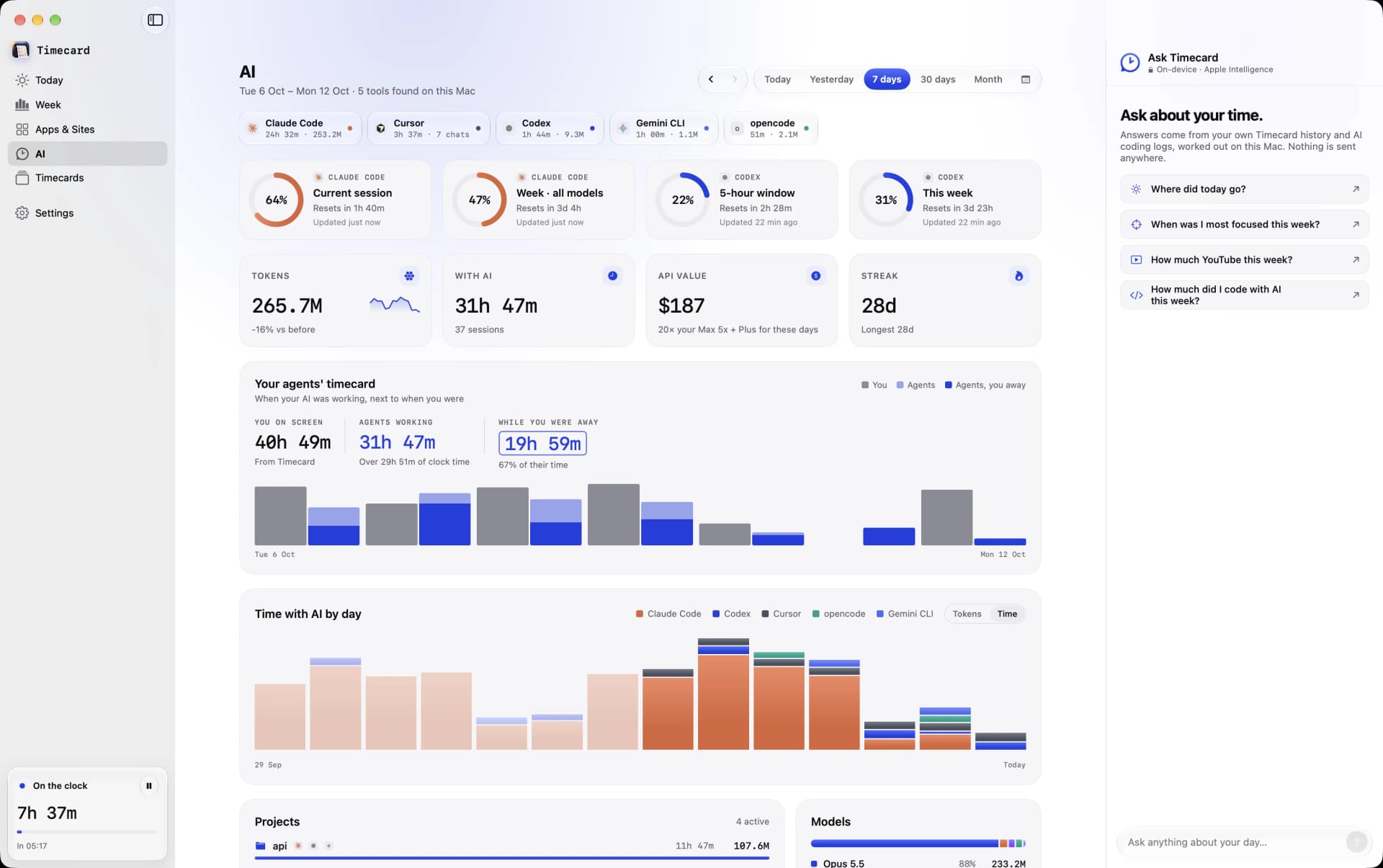
Timecard's AI page with Claude Code and Codex plan limits, tokens and API value
Claude Code and Codex plan limits, tokens and API value, read from your Mac.

One timeline for the whole day

Every app and website, split by browser tab, so GitHub, the docs and YouTube are separate lines, not one line that says Chrome.

AI coding, counted locally

Timecard reads the history Claude Code, Codex, Cursor, opencode and Gemini CLI keep on your Mac: time, tokens, models, projects and what the work would cost at API prices.

Your agents' timecard

See when your agents were working next to when you were, and how much of their time was while you were away.

Limit alerts

A notification at 80% and 95% of a Claude or Codex plan limit, and when it resets.

An MCP server for your agents

Cursor, Claude and Codex can ask Timecard where your time went, answered from your own history on your Mac.

Daily limits that hold

Give YouTube or X 30 minutes a day. When it runs out, the tab goes blank until you close it or explain why.

Time tracking for developers
questions

Does Timecard need an editor plugin?

No. It tracks your editor as an app and reads AI tools' local history directly, so there's nothing to install in VS Code, Cursor or anywhere else.

Which AI coding tools does it read?

Claude Code, Codex, Cursor, opencode and Gemini CLI. It shows time, tokens, models, projects and API value, and alerts you before a Claude or Codex plan limit.

Does my code or chat history leave my Mac?

No. Timecard reads the files on your Mac and keeps the numbers locally. It never uploads your code or conversations.

Related