Use caseMac · One-time · No account

Time tracking for freelancers

Timers only work when you remember to start them. Timecard records your day automatically from the moment you sit down: when you started, when you stopped, and which apps and sites took the hours. Every evening it prints the day as a timecard.

01

Forgotten timers

You start the work and forget the timer. At the end of the week the hours are a guess.

02

Days that disappear

Email, calls and small fixes eat the day, and none of it shows up in a project timer.

03

Another subscription

Most trackers charge every month for something you use alone.

How Timecard helps

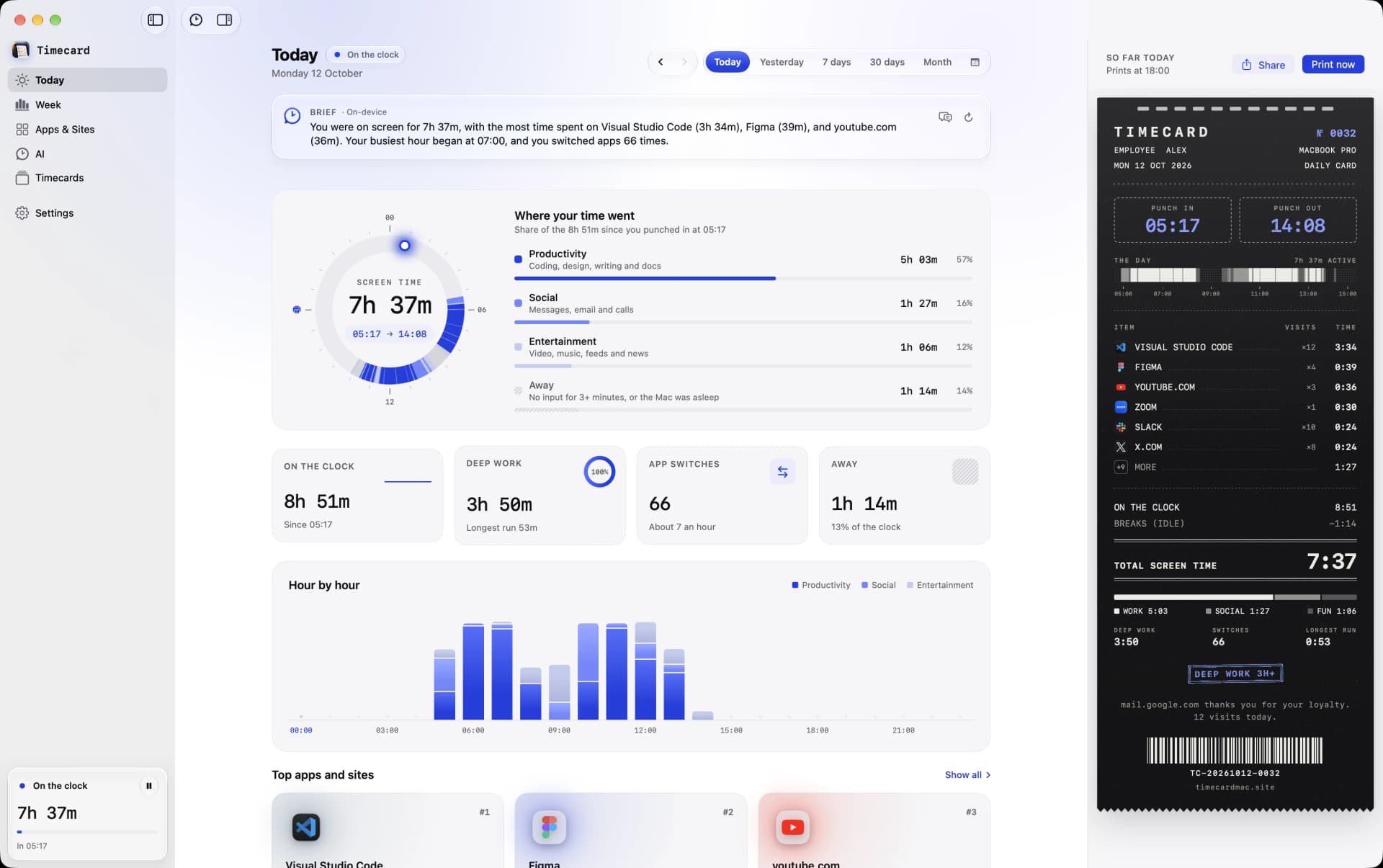
Timecard's Today view on a Mac with screen time per app and per website
Today in Timecard: punch-in, every app and website, and the hours.

Punch in, punch out

Timecard notes when your day started and ended, and ignores breaks after three minutes without input. Video and calls keep counting.

Every app and site

See how long went to Figma, the client's Slack, email and the browser, split into real websites.

A card every evening

The day prints as a timecard with your hours, top apps and sites. Share it as an image.

Weeks and months

History stays on your Mac forever, so you can look back at any week.

Time tracking for freelancers
questions

Can Timecard invoice clients?

No. Timecard shows where your time went, but it doesn't do projects, rates or invoices. If you bill by project, Timing or Toggl Track are built for that.

Do I need to start a timer?

No. Tracking is automatic from when your Mac is in use, with idle time ignored.

Does it work offline?

Yes. Tracking runs entirely on your Mac, with no account and no connection needed.

Related