Use caseMac · One-time · No account

A deep work app for Mac

A plan says four hours of deep work. The day usually says otherwise. Timecard shows how much deep work actually happened, your longest run without switching, and how many times you switched apps, then helps protect tomorrow with limits on what broke focus.

01

Focus feels longer than it was

A morning of deep work is often five short runs between messages.

02

Switching is invisible

Each quick check of email or chat costs focus, and you don't see how often it happens.

03

Plans without feedback

Time blocking works better when you can compare the plan with what really happened.

How Timecard helps

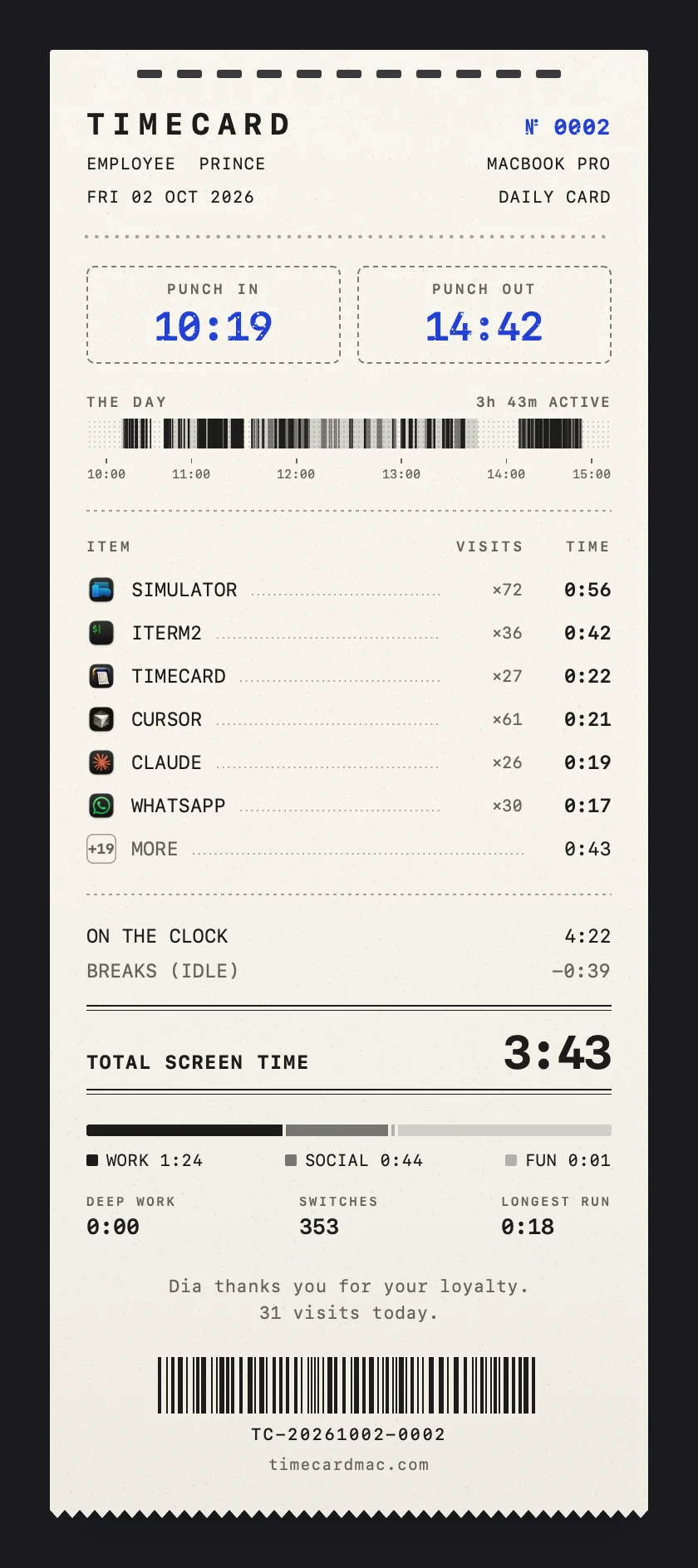
A daily timecard printed by Timecard with punch in, punch out, apps, websites and totals
Every evening's card: deep work, longest run and app switches.

Deep work, measured

Every card shows your deep work total, longest run and app switches for the day.

Stamps you earn

DEEP WORK 3H+ when you get there, and a streak when you keep it up.

Limits on the interruptions

Give chat, feeds and news a daily limit, with a nudge at 80% and a block at 100%.

Plan, then check

Plan with the free time blocking planner, then hold the plan against the evening's card.

A deep work app for Mac
questions

How does Timecard measure deep work?

Deep work is every run of 25 minutes or more in your Productivity apps and sites, allowing interruptions shorter than a minute. The card shows the day's total, the longest run and how many times you switched apps.

Can it block distractions during focus time?

Timecard uses daily limits rather than focus sessions. Give each distraction a daily budget, and it blocks when the budget is gone.

Is my data private?

Yes. There's no account, and your activity stays in one file on your Mac.

Related