Use caseMac · One-time · No account

A study app blocker for students

Thirty minutes of YouTube becomes two hours, the night before the exam. Give each distraction a daily limit. Timecard nudges you at 80%, blocks the site at 100%, and lets you make your case when you genuinely need it for class.

01

Five minutes that become an hour

Feeds are built to keep you there. Willpower alone loses most nights.

02

Blockers that block the lecture too

Blocking YouTube completely also blocks the lecture you were assigned.

03

No idea where the evening went

Without a record, it's hard to change anything.

How Timecard helps

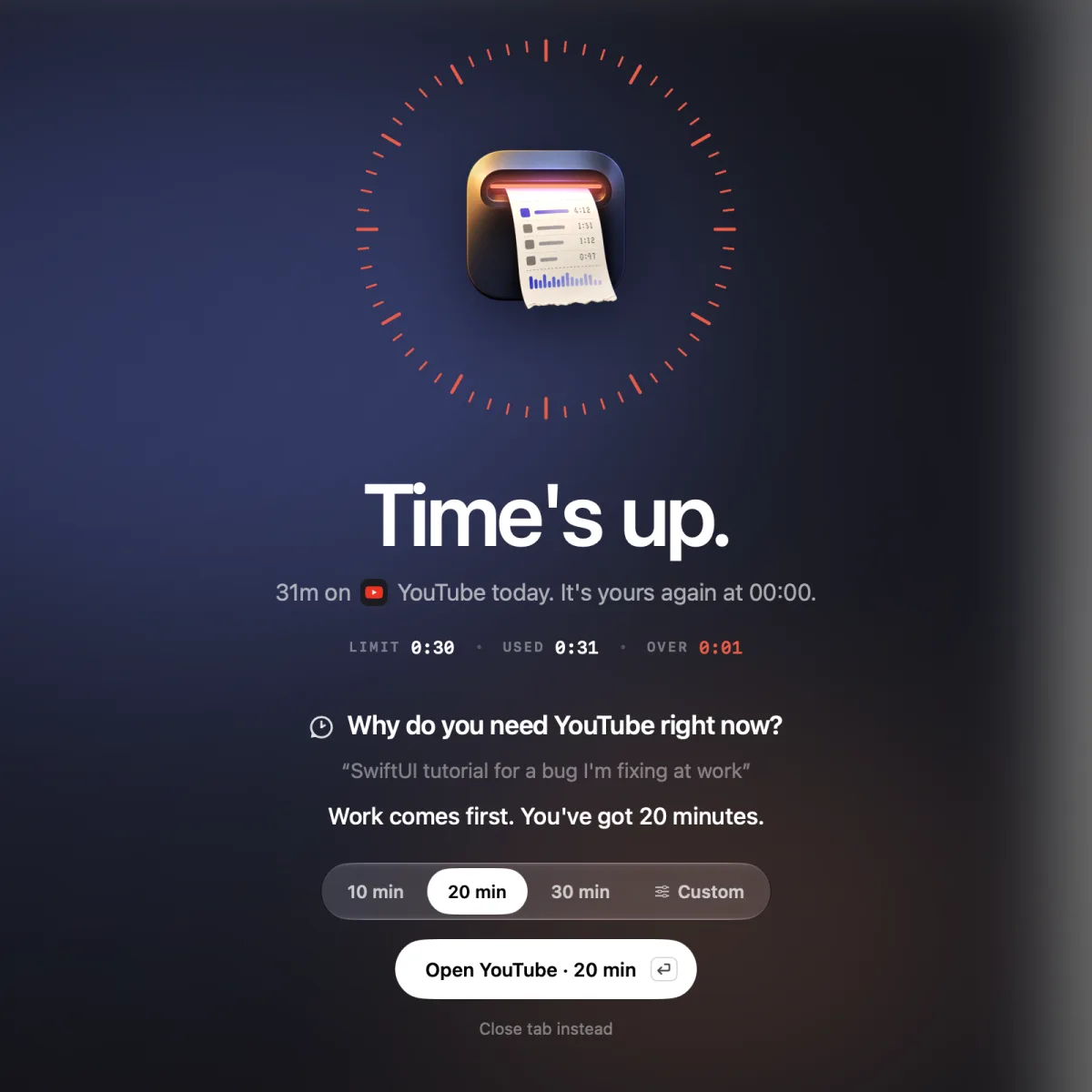
Timecard granting 20 more minutes of YouTube for a work tutorial
A reason for real coursework gets time. One more video doesn't.

Daily limits

Set a limit for any app or website, from 15 minutes to 4 hours, or your own.

A nudge, then a block

At 80% the notch tells you what's left. At 100% the tab goes blank.

Make your case

Tell it why you need more time. On macOS 26, Apple Intelligence on your Mac weighs the reason and the page: "studying for my exam tomorrow" on a computer science lecture got 20 minutes in our tests; "just one more video" didn't.

See the real number

Every app and site, every day, kept on your Mac.

A study app blocker for students
questions

Can I still watch lectures on YouTube?

Yes. Ask for time and explain it's for class. On macOS 26 Apple Intelligence decides; you can also turn on Pick a time instead of asking to skip the chat.

Does it work on older Macs?

Tracking and limits work on macOS 14 and later. Asking Apple Intelligence for time needs macOS 26 with Apple Intelligence turned on.

Does anyone else see my data?

No. There's no account, and everything stays on your Mac.

Related