 Pastely
 Archly
01
Automatic vs timers
Toggl Track is strongest when you start a timer for each task. Timecard records automatically from the moment your Mac wakes, so nothing depends on remembering.
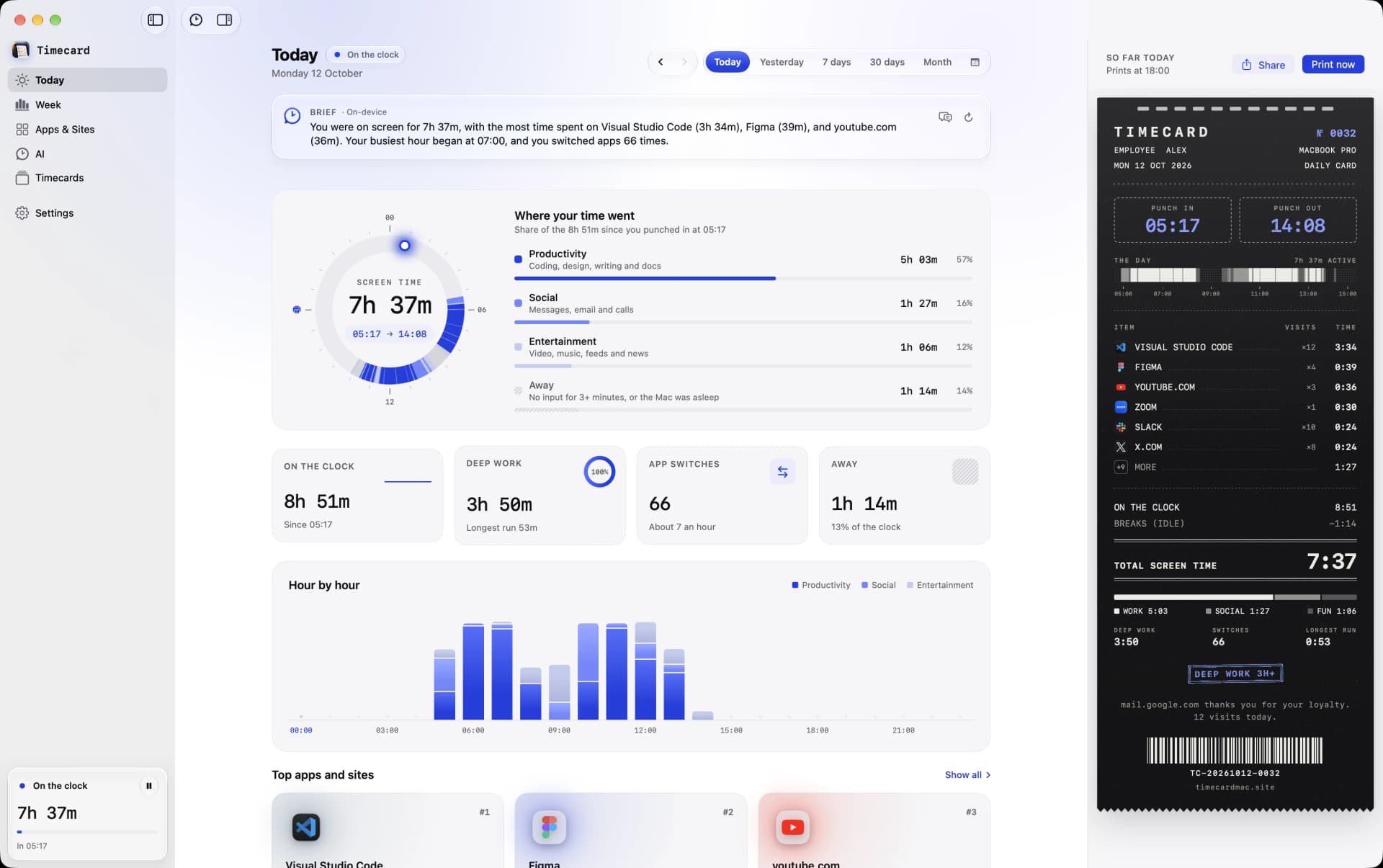
Toggl Track is built around timers you start and stop, and reports teams use for billable hours, with a free plan and paid plans from $9 per user a month, billed yearly. Timecard needs no timers: it records every app and website on your Mac automatically, and keeps it on your Mac.
Timecard
Toggl Track
01
Best for: teams that log billable hours with timers

Best for: seeing, and limiting, where your Mac day goes
02
Timecard is a single payment. Toggl Track is a subscription.
TimecardPay once$5once, for 1 Mac
From Toggl Track's own pages, October 2026.
Over three years
Toggl Track's cheapest paid plan, billed yearly
03
 Timecard Timecard | T Toggl Track | |
|---|---|---|
| Tracking | ||
| Tracks apps automatically | Yes | Timers you start, plus desktop activity tracking |
| Tracks websites | Yes, in Safari, Chrome, Arc, Dia, Brave, Edge, Vivaldi, Opera and Comet | Not per site |
| History | Forever, plus the weeks Screen Time already kept | In your Toggl account |
| Privacy | ||
| Account | Not needed | Required |
| Where your data lives | On your Mac, in one local file | Toggl's cloud |
| Limits | ||
| Limits that block apps and sites | Yes: blocks the tab or covers the app, then asks why | No |
| Beyond tracking | ||
| AI coding usage | Claude Code, Codex, Cursor, opencode, Gemini CLI: time, tokens, API value | No |
| Daily summary | A timecard printed from the notch every evening | Reports |
| Teams and client billing | No, it's built for one person | Yes, built for teams and billable hours |
| Availability | ||
| Platforms | Mac, macOS 14 or later | Web, Mac, Windows, iPhone, Android, browser extension |
04
01
Toggl Track is strongest when you start a timer for each task. Timecard records automatically from the moment your Mac wakes, so nothing depends on remembering.
02
Toggl is built for billable hours and team reports. Timecard is built for one person who wants to know where the day went and protect focus.
03
Toggl keeps your entries in its cloud and syncs them across devices. Timecard keeps everything on your Mac with no account.
For most people on a Mac, Timecard: it tracks every app and website automatically, keeps the data on your Mac, blocks apps and sites when a daily limit runs out, tracks AI coding usage, and costs one payment with no account. Toggl Track is still the better fit if you bill clients and need billable rates, projects and invoices-ready reports.
Yes. Timecard records every app and website on your Mac automatically, with breaks detected after three minutes without input.
Timecard shows when you punched in and out and where the time went, but it doesn't do projects or invoices. For client billing, Toggl Track or Timing fit better.
Toggl Track has a free plan with timers and basic features. Paid plans start at $9 per user a month billed yearly, or $12 billed monthly.
Compare Timecard with
 vs Screen Time
Apple's built-in Screen Time, with four weeks of history.
Open →
 vs RescueTime
A cross-platform tracker with focus sessions, on a subscription.
Open →
Tvs Timing
A Mac time tracker built for projects and client billing.
Open →
Rvs Rize
An AI time tracker with a distraction blocker, on a subscription.
Open →
Avs ActivityWatch
A free, open-source tracker that keeps data on your device.
Open →
 vs WakaTime
Coding time from editor plugins, on WakaTime's servers.
Open →
 vs Freedom
A cross-device blocker that doesn't track your time.
Open →
 vs Opal
A phone-first screen time app with Hard Mode, on a subscription.
Open →