Use caseMac · One-time · No account

How to block websites on Mac

There are three ways to block a website on a Mac. Screen Time works, but only in Safari. The hosts file in Terminal blocks a site everywhere, all the time. Timecard blocks a site or app when its daily limit runs out, in Chrome, Arc, Brave, Edge and Safari, and lets you make a case for more time.

01

Screen Time stops at Safari

Its website limits don't apply in Chrome, Arc or Brave, which is where most people browse.

02

All or nothing

The hosts file blocks a site completely, which also blocks the one video you need for work.

03

Blockers you quit

A blocker you can switch off in one click lasts until the first craving.

How Timecard helps

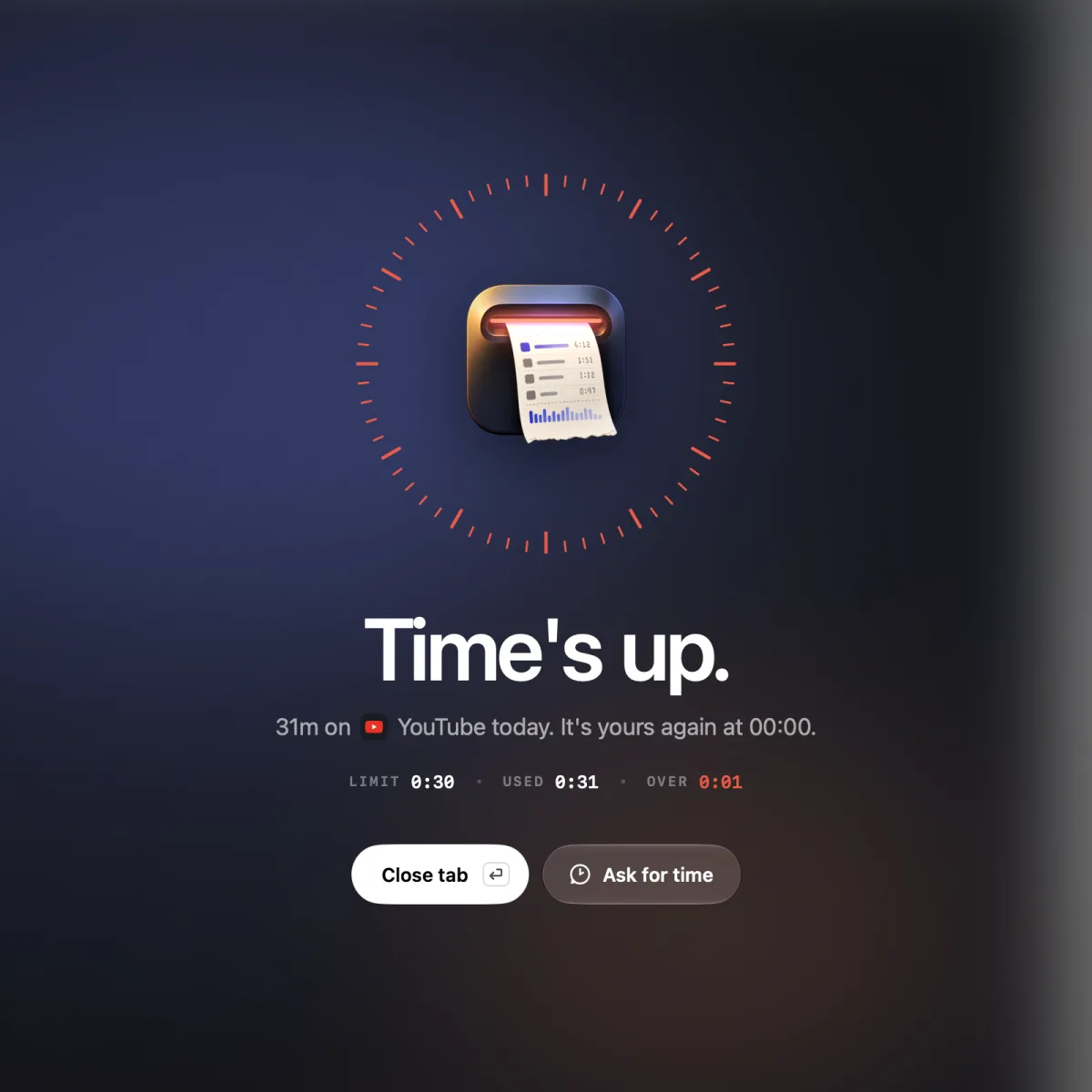
Timecard's time's up screen blocking YouTube on a Mac after the daily limit ran out
When the limit runs out, the site is blocked in every major browser.

Daily limits, not bans

Give a site or app 30 minutes a day. Use it freely until the time runs out.

Blocks in every major browser

The tab goes blank in Safari, Chrome, Arc, Dia, Brave, Edge, Vivaldi, Opera and Comet. Apps are covered.

Make your case

Say why you need more time. On macOS 26, Apple Intelligence on your Mac weighs your reason and the page, and decides.

See what to block

Timecard shows every app and website you use, so you know which ones are worth a limit.

How to block websites on Mac
questions

How do I block a website on Mac in Chrome?

Screen Time's website limits don't apply in Chrome. Use a blocker that works in Chrome, like Timecard: set a daily limit on the site, and the tab goes blank when the time runs out.

How do I block websites on Mac with Terminal?

Add a line such as 127.0.0.1 www.example.com to /etc/hosts with sudo nano /etc/hosts, then flush the DNS cache with sudo dscacheutil -flushcache; sudo killall -HUP mDNSResponder. It blocks the site in every browser until you remove the line.

Is there a free website blocker for Mac?

Yes. Screen Time is free but works in Safari only, the hosts file is free but blocks all the time, and SelfControl is a free open-source blocker for timed sessions. Timecard is a one-time purchase that blocks by daily limits and also tracks your time.

Can I block apps on Mac, not just websites?

Yes. When an app's daily limit runs out, Timecard covers it with the time's-up screen until you quit it or ask for more time.

Related