 Pastely
 Archly
What it shows
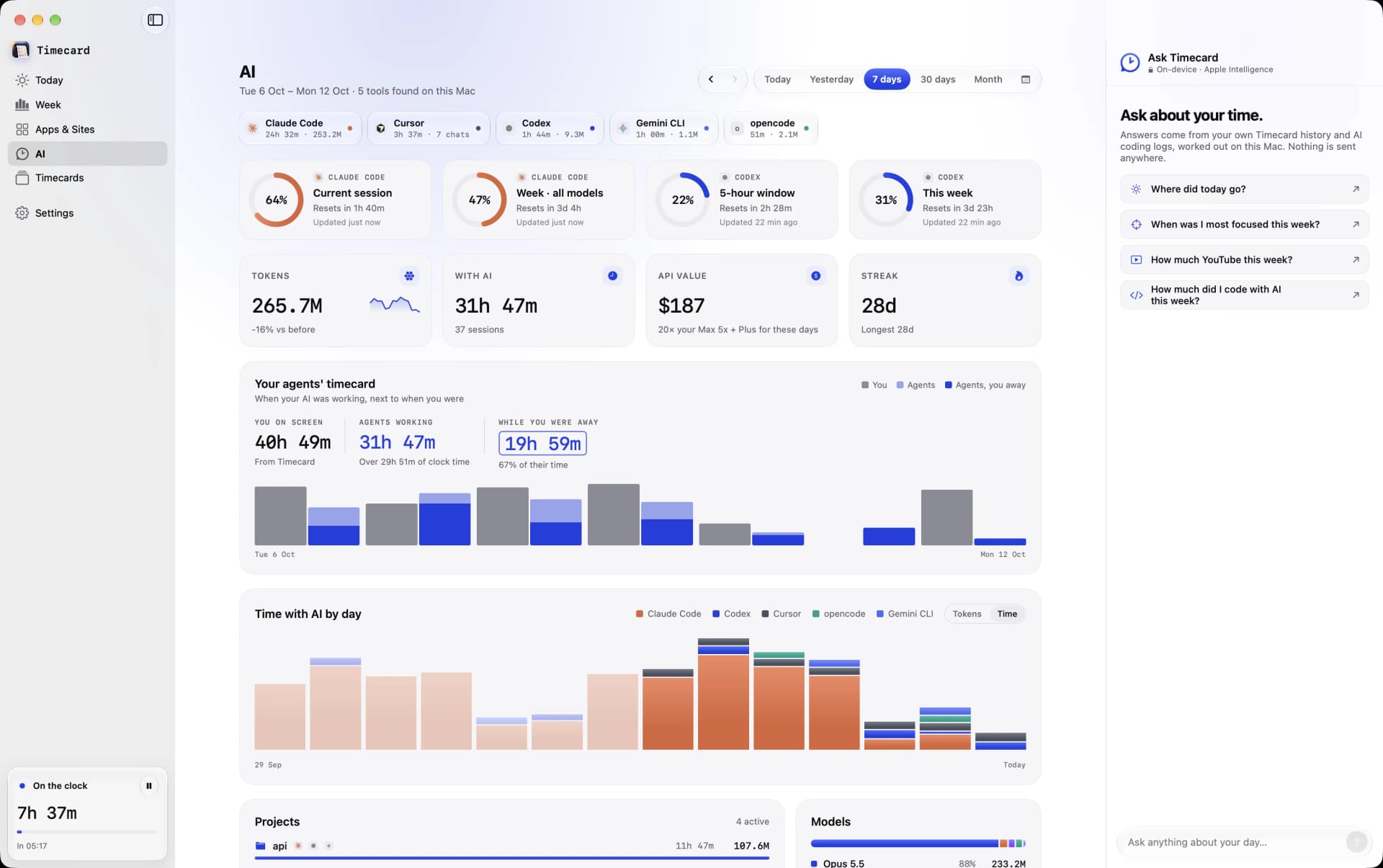
Sessions, projects, tokens and an estimate of API value at list prices. It's what the same use would cost on the API, not what your plan bills. Cursor no longer saves token counts locally, so Cursor shows time only.
Plan limits and alerts
Timecard reads the plan limits Claude Code and Codex already cache on your Mac: how much is used and when each resets. Limit alerts in Settings › AI notify you at 80% and 95%, and when a limit resets.
Your plan
Settings › AI shows the Claude Code and Codex plans Timecard found on your Mac, so you can compare what you pay with the API value of what you used.
Let agents ask about your time
In Settings › Agents, copy the setup for Cursor or Claude, or for Codex, and paste it into that tool. Your agent can then answer questions like how long you spent in Xcode this week.
Still stuck? Email princeajuzie1@gmail.com.