 Pastely
 Archly
Set a limit
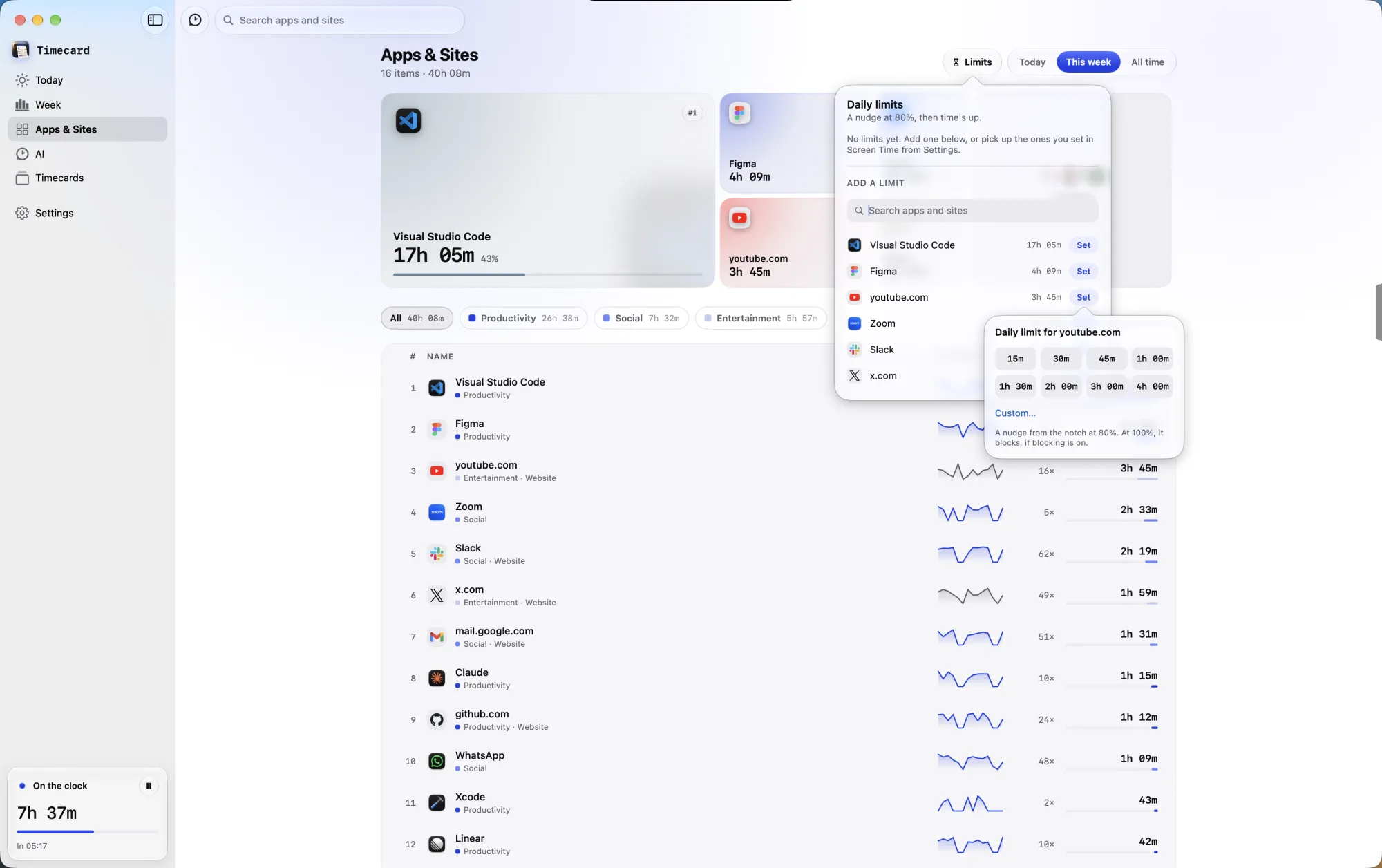
- Open Apps & Sites and click Limits.
- Find the app or website and click Set.
- Pick 15 minutes to 4 hours, or set your own.
When the time runs out
A website's tab goes blank in Safari, Chrome, Arc, Dia, Brave, Edge, Vivaldi, Opera and Comet, and an app is covered by the time's-up screen. The limit resets when the next day starts, at the time set under Day ends at in Settings › The printer.
Asking for more time
Click Ask for time and say why. On macOS 26, Apple Intelligence on your Mac weighs the reason and the page, so a tutorial for work gets time and one more video doesn't. Prefer no chat? Turn on Pick a time instead of asking in Settings › Limits.
Ignore limit
Turn on Offer Ignore limit in Settings › Limits to add a way past the block on the time's-up screen, for 15 minutes to 2 hours, the rest of the day, or a time you choose.
Limits you set in Screen Time
With Full Disk Access, Timecard picks up your Screen Time App Limits, including ones synced from iPhone. Block Screen Time limits too makes them block like Timecard's own; turn it off for notch alerts only.
Still stuck? Email princeajuzie1@gmail.com.